
Category: Tips

Sudo for Windows

Share this post:

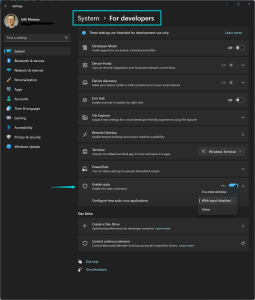
Sudo for Windows is a new feature that was introduced in Windows 11 Insider Preview Build 26052. It allows users to run elevated commands directly from an unelevated console session, similar to how sudo works on other operating systems. Sudo for Windows is an ergonomic and familiar solution for users who want to elevate a …

Continue reading

Share this post:

How to Use Task Manager in Windows 11: 7 Tips and Tricks

Share this post:

Task Manager is a handy utility that comes with Windows 11. It allows you to see how your system and apps are performing, and gives you the ability to manage them. You can use Task Manager to monitor your CPU, memory, disk, and network usage, view and end processes, start and stop services, and more. …

Continue reading

Share this post:

Microsoft Edge running in Windows Subsystem for Linux

Share this post:

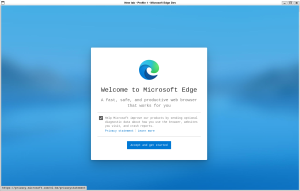
Microsoft Edge is a popular web browser that offers fast performance, security, and compatibility with modern web standards. If you are a Linux user who wants to try out Edge, you can install it on Ubuntu running in Windows Subsystem for Linux (WSL). In this blog post, I will show you how to do that …

Continue reading

Share this post:

Windows Clipboard History

Share this post:

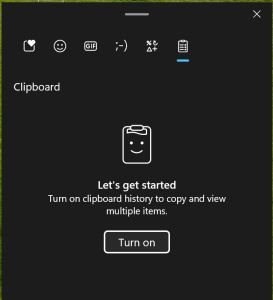
One of the coolest features of Windows 11 is the clipboard history. This allows you to access and paste multiple items that you have copied before, without losing them. You can also pin items that you use frequently, such as your email address or phone number, and synchronize them across your devices. Here’s how to …

Continue reading

Share this post:

How to use Microsoft Assessments to improve your cloud adoption

Share this post:

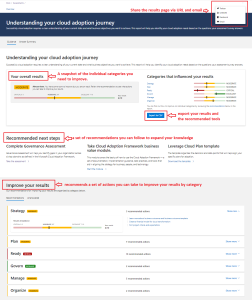
Are you looking for a way to assess your cloud readiness and optimize your Azure solutions? Do you want to get tailored feedback and best practices from Microsoft experts? If so, you should check out Microsoft Assessments, a free online platform that helps you evaluate your business strategies and workloads on Microsoft Learn. Microsoft Assessments …

Continue reading

Share this post:

CTRL key Tips in Task Manager

Share this post:

Here are 3 Task Manager hidden features that might come in handy: Stopping task manager from refreshing One of the features of the Windows Task Manager is that it automatically refreshes the data every few seconds. This can be useful for monitoring the performance and activity of your system, but sometimes you may want to …

Continue reading

Share this post:

How to Securely Erase a Drive with Windows Reset This PC

Share this post:

If you want to sell or donate your old PC or just the drive inside, you need to make sure that none of your personal data can be recovered by the next person. Simply deleting your files or resetting Windows is not enough, as there are tools that can easily undelete them. You need to …

Continue reading

Share this post:

Preparing to upgrade to Windows 11 (MBR to GPT)

Share this post:

If you want to upgrade to Windows 11, you may need to convert your disk from MBR to GPT. MBR stands for Master Boot Record, and it is an old way of partitioning disks that has some limitations. GPT stands for GUID Partition Table, and it is a newer and more flexible way of partitioning …

Continue reading

Share this post:

Easy way to access your UEFI bios from Windows 10/11

Share this post:

Accessing the bios of a device has become quite challenging on a lot of devices, the time it takes to start loading Windows from power down ha sbecome so short it’s quite possible you are no longer able to quickly pres the right key on the keyboard to skip to the bios. One option is …

Continue reading

Share this post: