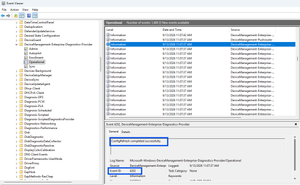
One of the biggest differences between traditional Group Policy and modern cloud management has always been policy enforcement frequency. While Group Policy refreshes every 90 minutes by default, Microsoft Intune policies typically rely on periodic device check-ins. With Config Refresh, Microsoft brings a similar “reapply and enforce” capability to Windows 11 managed through Intune. In …
Category: ITPro – Dojo
Sep 13
Automatically Configure Time Zone on Windows 11 with Intune
One of the most common complaints from users who travel between countries or work across multiple regions is that their Windows device shows the wrong time zone. While Windows 11 includes an “Set time zone automatically” option, it is not always enabled by default. In this guide, I’ll show you how to enable automatic time …
Mar 01
Hidden feature behind the ‘Pause Windows Updates’ Button
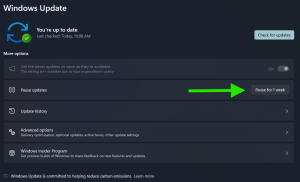
Most people think of the Pause button in Windows Update as a temporary freeze: stop installing updates for a while, resume later, nothing more. But under the hood, pausing triggers a subtle but powerful side effect:Windows discards its current update evaluation state. That means: The real-world scenario: a device from storageImagine this situation: How pausing …
Mar 15
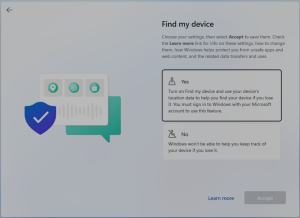
The 5 Windows 11 OOBE Privacy Questions: Why “Yes” is the Answer
The Out-of-Box Experience (OOBE) in Windows setup includes five key privacy-related questions that shape how your device interacts with you and the digital world. Here’s a blog post exploring why selecting “Yes” for these questions is often the best choice, along with the potential limitations if you opt for “No.” When setting up a new …
Mar 02
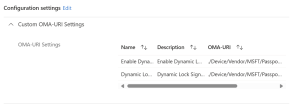
Configure Dynamic lock with Microsoft Intune
Dynamic Lock is a security feature in Windows that automatically locks your computer when you step away from it. It uses Bluetooth to detect the proximity of a paired device, such as your smartphone. If the device moves out of range, Windows will lock the computer to prevent unauthorized access. This feature enhances security by …
Mar 02
Windows Insider Option Missing?
If you find that the Windows Insider Program option is missing under Windows Updates, here are two ways to resolve this issue: Company-Managed Device: If your device is managed by your company, the option might have been intentionally disabled by IT. Contact your IT department to enable it for you. Personal Device: If you manage …
Oct 06
Enhancing Security with Remote Desktop Services: Limiting Console Session Access
In today’s digital landscape, securing remote access to systems is paramount. One effective method to enhance security is by configuring Remote Desktop Services (RDS) to limit the number of connections, thereby blocking access to the console session via Remote Desktop Protocol (RDP). Here’s a step-by-step guide on how to achieve this using Group Policy. Step-by-Step …
Apr 27
Surface IT Toolkit: Streamlining Device Management for IT Admins
The Microsoft Surface team has unveiled the Surface IT Toolkit, which has become the go-to resource for configuring, recovering, or retiring Surface devices and Surface Docks. (Download Link) The Surface IT Toolkit simplifies the deployment and management experience, making it an invaluable resource for IT professionals in charge of Surface device fleets. Here’s en example …
Mar 17
🚀 Exciting news! The Microsoft Learn AI Skills Challenge is here! 🤖
📅 Starting on March 19, 2024, this immersive challenge will help you gain the skills, confidence, and Microsoft Credentials needed to excel in the era of AI. Whether you’re a seasoned tech pro or just starting out, this is your chance to level up! 🌟 🔗 Register now: Microsoft Learn AI Skills Challenge 🎉 🎁 By completing just one challenge, you’ll …
Feb 24
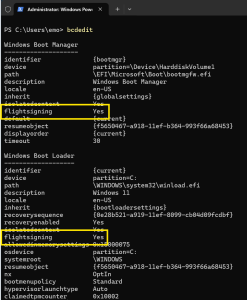
Why Every IT Pro Should Be Flighting Insider Builds of Windows
The Windows Insider Program offers a great way to preview the latest features and updates of Windows before they are released to the general public. As an IT professional, you can benefit from testing insider builds of Windows in several ways: Flighting insider builds of Windows can offer numerous advantages to IT professionals. However, it’s …