When deploying Windows 11 devices, you might need to install updates or drivers before handing them over to end users, without going through the entire Out-of-Box Experience (OOBE) setup. This is where Audit Mode comes in handy. What Is Audit Mode? Audit Mode is a special Windows setup state that lets you boot into the …
Tag: Security
Mar 02
Configure Dynamic lock with Microsoft Intune
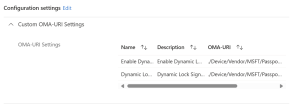
Dynamic Lock is a security feature in Windows that automatically locks your computer when you step away from it. It uses Bluetooth to detect the proximity of a paired device, such as your smartphone. If the device moves out of range, Windows will lock the computer to prevent unauthorized access. This feature enhances security by …
Oct 06
Enhancing Security with Remote Desktop Services: Limiting Console Session Access
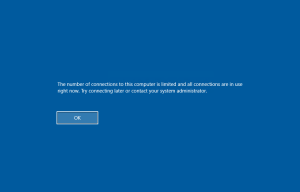
In today’s digital landscape, securing remote access to systems is paramount. One effective method to enhance security is by configuring Remote Desktop Services (RDS) to limit the number of connections, thereby blocking access to the console session via Remote Desktop Protocol (RDP). Here’s a step-by-step guide on how to achieve this using Group Policy. Step-by-Step …
Oct 22
How to use Microsoft Assessments to improve your cloud adoption
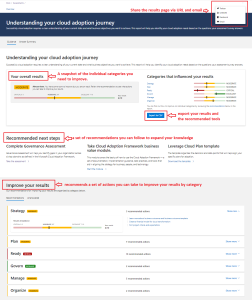
Are you looking for a way to assess your cloud readiness and optimize your Azure solutions? Do you want to get tailored feedback and best practices from Microsoft experts? If so, you should check out Microsoft Assessments, a free online platform that helps you evaluate your business strategies and workloads on Microsoft Learn. Microsoft Assessments …
Oct 14
Delete OEM drivers (to enable memory integrity)
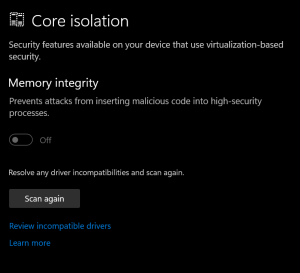
On Windows 10/11 when memory integrity cannot be switched on due to incompatible drivers, you can use pnputil.exe to remove the affected OEM drivers Open Windows Security Select Device Security Select the Core isolation details Set the slider to ON to enable core isolation If any incompatible (old) drivers are on the system, you will …
Oct 10
Event: IT Privacy Debate – November 24th

Want to know more on how privacy and IT can work hand in hand? How GDPR “the right to be forgotten” works in an IT environment ? Are you responsible for the data of your customer? How often is you privacy breached? Does it matter? Do you have something to hide? Wil je weten hoe …

Sponsored by Aurelium NV
Microsoft Learn

Running on Microsoft Azure