

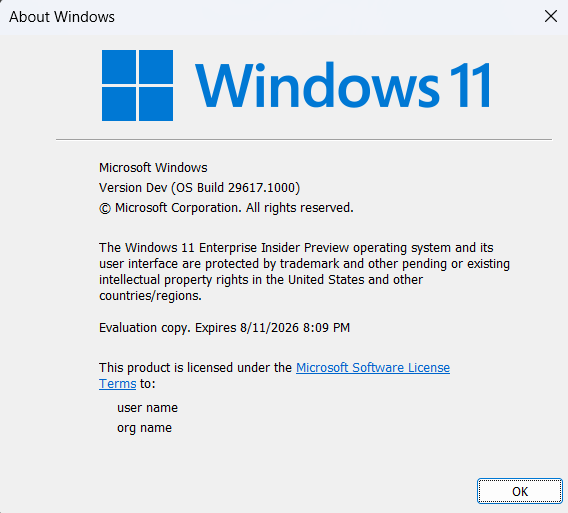
Hi all, last Friday Microsoft released Windows 11 Insider Build 29617.1000 to the Experimental (Future Platforms) channel.
Nice ne features and changes in this flight, Happy Upgrades!
Changes and improvements gradually being rolled out
[Windows Update]
- As announced in the Windows Update announce blog, we are now bringing a new unified update experience to reduce the number of reboots you see per month. We are starting by coordinating driver, .NET, and firmware updates to align with the monthly quality update, reducing the update experience to a single monthly restart. See the blog for more information.
[Windows Magnifier]
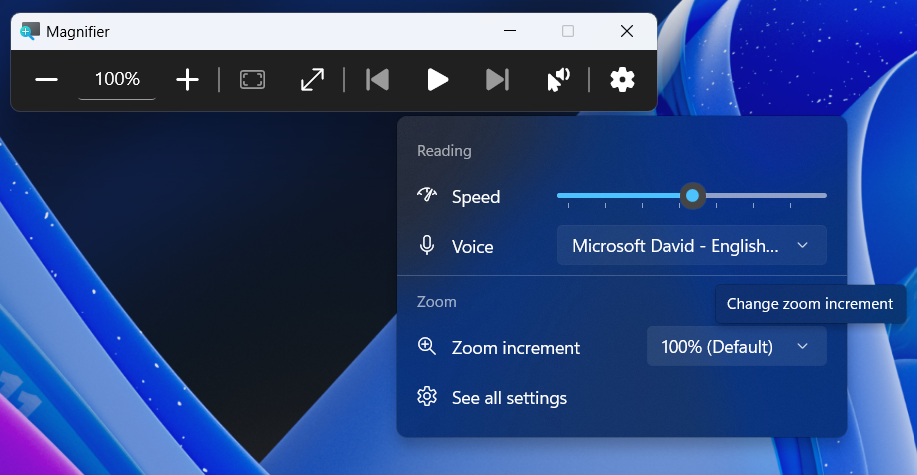
- Magnifier now gives you more control over how you zoom. You can type an exact zoom percentage directly in the magnifier toolbar to land on precisely the level you need.
- We’ve also added preset step increments (5%, 10%, 25%, 50%, 100%, 150%, 200%, and 400%) to the Settings dropdown, so you can jump to common levels in a single click. Whether you need a subtle boost or a dramatic close-up, Magnifier adapts to how you want to zoom.
Feedback: Share your thoughts in Feedback Hub (WIN + F) under Accessibility > Magnifier.
[Accessibility]
- We’re introducing screen tint, a new accessibility setting that applies a color overlay across your entire display, softening its intensity so it’s easier on your eyes throughout the day. If bright, saturated screens leave you with tired or sensitive eyes by the end of a long session, screen tint can help.
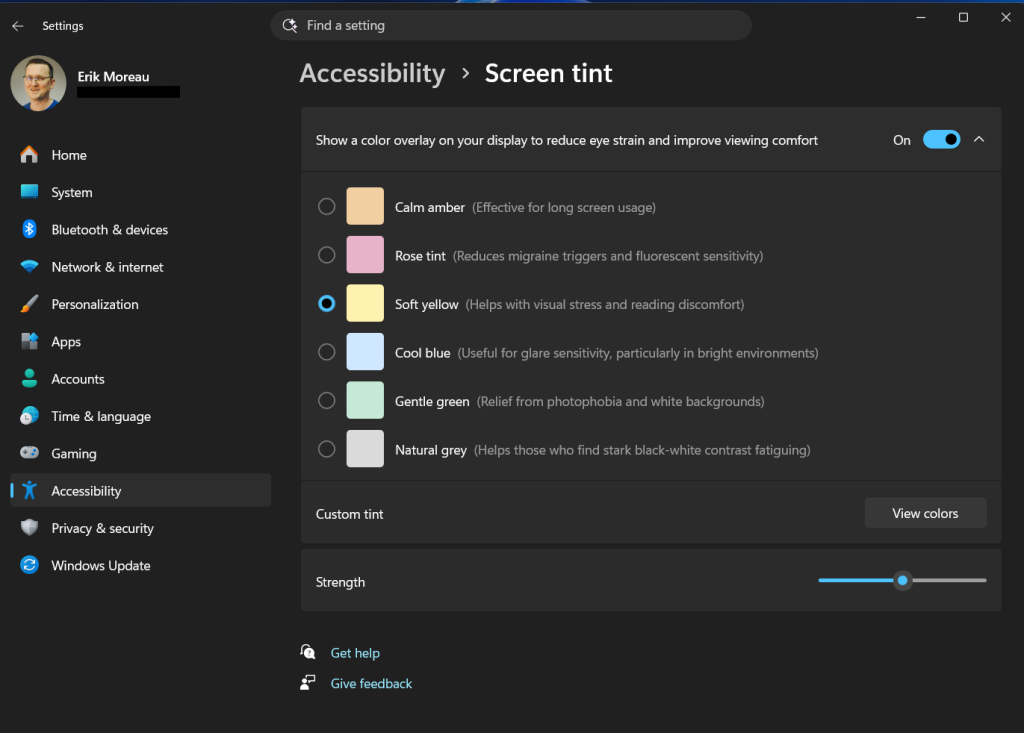
- To get started, open Settings > Accessibility (or press WIN + U) and look for screen tint under the Vision section. From there, you can:
- Pick from six preset colors or choose a custom color of your own.
- Adjust the tint strength slider from a subtle wash to full intensity.
- Night light warms your display to reduce blue light that can interfere with sleep. Screen tint reduces overall screen intensity to ease eye fatigue and light sensitivity during the day. They tackle different problems and you can use both at the same time, one working on warmth and the other on intensity.
- Note that turning on screen tint will disable color filters, and vice versa. If you currently rely on color filters, you might need to keep screen tint turned off.
Feedback: Share your thoughts in Feedback Hub (WIN + F) under Accessibility > Narrator.
[Voice Access]
- Voice Access now supports Portuguese (Portugal), Portuguese (Brazil), and Korean (South Korea).
[Audio]
- Continuing our work on improving Sound Settings, we’ve made a few more updates in this build:
- We’ve adjusted the description text for the Allow option in properties for audio devices to include the current state of the device, to improve the clarity of the text and the purpose of the button actions.
- “Listen to this device” is now available in properties for audio devices, so you don’t need to enter Control Panel for this functionality.
[Multiple Desktops]
- Improved explorer reliability when switching between multiple desktops.
[Storage]
- We’ve updated the dialog when creating a Dev Drive to now support specifying the size in GB instead of only MB. This has also been added when changing the size of volumes under Settings > System > Storage.
[Personalization]
- This update improves color selection accuracy when adjusting your accent color to match your wallpaper when automatic accent color selection is enabled in Personalization settings.
- This update improves wallpaper persistence reliability across restarts and upgrades, including better support for large-resolution wallpapers and other scenarios to prevent solid color wallpaper fallback.
[Display and Graphics]
- Improves the reliability and persistence of applying color profiles.
source: Flight Hub


