Tag: history

How to Use Reliability History in Windows to Diagnose System Issues

Share this post:

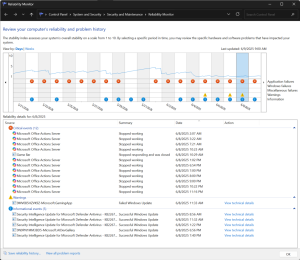
When your Windows PC starts acting up—whether it’s crashing, freezing, or just behaving oddly—finding the root cause can feel like searching for a needle in a haystack. Fortunately, Windows includes a built-in tool that many users overlook: Reliability Monitor. This powerful utility provides a timeline of your system’s stability and logs events like application crashes, hardware …
Continue reading

Share this post:

Windows Clipboard History

Share this post:

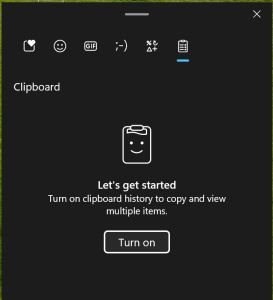
One of the coolest features of Windows 11 is the clipboard history. This allows you to access and paste multiple items that you have copied before, without losing them. You can also pin items that you use frequently, such as your email address or phone number, and synchronize them across your devices. Here’s how to …

Continue reading

Share this post:

Reliability History- quick status check

Share this post:

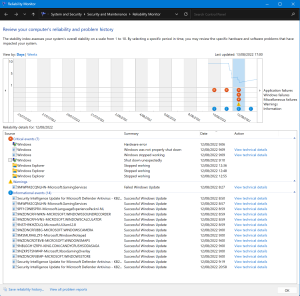
When issues arrise on a Windows device many of us dive into the eventlogs, check when latest updates were installed, when the device was restarted, how often does a certain app crash… This can be quite a job filtering through logs, looking up info at numerous locations. Windows has a built-in tool that does a …

Continue reading

Share this post:

Windows 11 Release Health Videos

Share this post:

The Windows 11 release health page found here: Windows 11 Updates Has this great new feature, every month the Patch-Tuesday update changes are neatly bundled with a video explaining what’s fixed & what’s new in this month’s updates and even some tips! Making them easier to understand even for less tech savvy end-users. Here’s the …

Continue reading

Share this post: