Category: Tips

Why the Surface Laptop 13 inch for Business Became My Ultimate Go-To Device

Share this post:

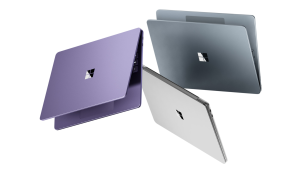
A few months ago, I got my hands on the new 13-inch Surface Laptop for Business, one of the latest additions to Microsoft’s Copilot+ PC portfolio. I was intrigued by its promise of portability, performance, and AI-powered productivity. Fast forward to today, and I can confidently say: this device has transformed how I work, travel, …

Continue reading

Share this post:

Windows 11 Recall: Your Instant Second Brain and Time-Saving Sidekick

Share this post:

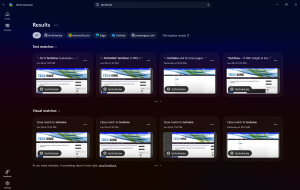
In a world where our digital lives are fast-paced and scattered across apps, websites, chats, and documents, keeping track of it all can feel like trying to find a paperclip in a hurricane. That’s where Windows Recall steps in — not just as a feature, but as a game-changer. ⏱️ What Is Windows Recall? Windows …

Continue reading

Share this post:

How to Use Reliability History in Windows to Diagnose System Issues

Share this post:

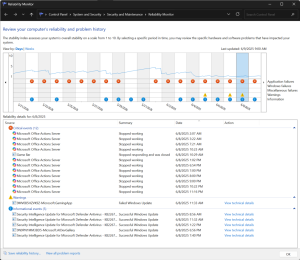
When your Windows PC starts acting up—whether it’s crashing, freezing, or just behaving oddly—finding the root cause can feel like searching for a needle in a haystack. Fortunately, Windows includes a built-in tool that many users overlook: Reliability Monitor. This powerful utility provides a timeline of your system’s stability and logs events like application crashes, hardware …

Continue reading

Share this post:

The 5 Windows 11 OOBE Privacy Questions: Why “Yes” is the Answer

Share this post:

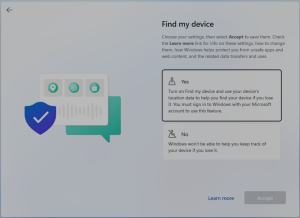
The Out-of-Box Experience (OOBE) in Windows setup includes five key privacy-related questions that shape how your device interacts with you and the digital world. Here’s a blog post exploring why selecting “Yes” for these questions is often the best choice, along with the potential limitations if you opt for “No.” When setting up a new …

Continue reading

Share this post:

Configure Dynamic lock with Microsoft Intune

Share this post:

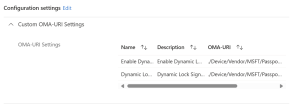
Dynamic Lock is a security feature in Windows that automatically locks your computer when you step away from it. It uses Bluetooth to detect the proximity of a paired device, such as your smartphone. If the device moves out of range, Windows will lock the computer to prevent unauthorized access. This feature enhances security by …

Continue reading

Share this post:

Discovering the Future of Computing: My Journey with the Surface Laptop 7th Edition and Copilot+

Share this post:

As a tech enthusiast, I’m always on the lookout for devices that not only meet my professional demands but also enrich my digital life with innovation. Recently, I embarked on a new adventure with the Surface Laptop 7th Edition, powered by Copilot+ with Recall and Click-to-Do features in the dev channel. The experience has been …

Continue reading

Share this post:

Unleashing the Power of Microsoft Copilot: Your AI Companion for Productivity and Creativity

Share this post:

In today’s fast-paced digital world, staying productive and creative can be a challenge. Enter Microsoft Copilot, an AI-powered assistant designed to revolutionize the way you work and create. Whether you’re a developer, data analyst, or business professional, Copilot offers innovative solutions to enhance your productivity, creativity, and data accessibility. What is Microsoft Copilot? Microsoft Copilot is …

Continue reading

Share this post:

Strengthening Security: Enabling Higher Encryption Types for Kerberos in Active Directory with Windows 11 24H2

Share this post:

As we advance into an era where cybersecurity threats are becoming increasingly sophisticated, it’s imperative to bolster our defenses to ensure the safety and integrity of our digital environments. One pivotal aspect of this defense is the encryption types used by the Kerberos protocol within an Active Directory (AD) domain. With the release of Windows …

Continue reading

Share this post:

Announcing the General Availability of Windows Server 2025

Share this post:

I’m excited to announce that Windows Server 2025 is now generally available! This latest release from Microsoft brings a host of new features and improvements designed to enhance security, performance, and hybrid cloud capabilities. Key Features and Improvements 1. Enhanced Security: Windows Server 2025 introduces several security advancements, including improved algorithms for Name/SID lookups and …

Continue reading

Share this post: